For Mac developers maintaining client repositories

Manage the roadmap, the releases, and the agents doing the work.

aiflow keeps your roadmap and release plan in Markdown you control, orchestrates Claude Code or Codex jobs against it, and connects every delivery to commits, recorded checks, limitations, and follow-ups.

Recruiting five freelancers or small consultancies already using Claude Code or Codex. Agent usage is separate.

what aiflow is for

Roadmap management

Plan versions and features in a ROADMAP.md you own — status, scope, acceptance criteria, and the next step, including work that happens outside aiflow.

Release management

Group work into versions and see each release's progress. Every finished feature carries its evidence, so a version is ready when its record says so — not when memory does.

Agent orchestration

Send roadmap items to Claude Code or Codex, run them in sequence, and review each result with its commits, reported checks, and flagged limitations attached.

inside aiflow

The roadmap you plan in, and the history you check.

Both live as files in your repository. aiflow gives them an interface, so the plan and the evidence of what was actually done stay next to each other.

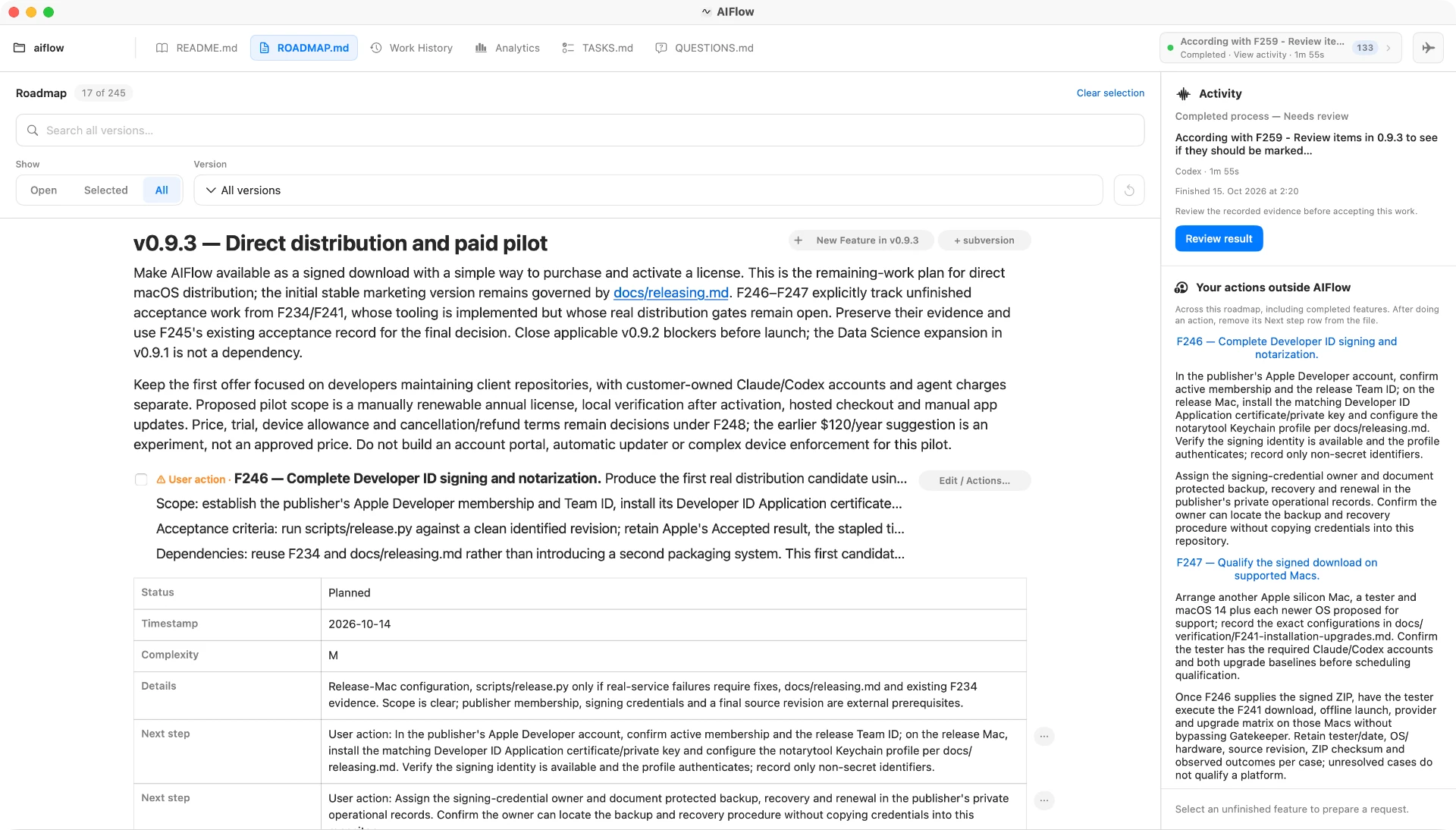
Roadmap overviewROADMAP.md
aiflow ROADMAP.md view: roadmap filters and a version overview showing a feature with its scope, acceptance criteria and next steps, beside an activity panel with a completed process waiting for review
Versions and features with status, scope, acceptance criteria and the next step — including work that has to happen outside aiflow.
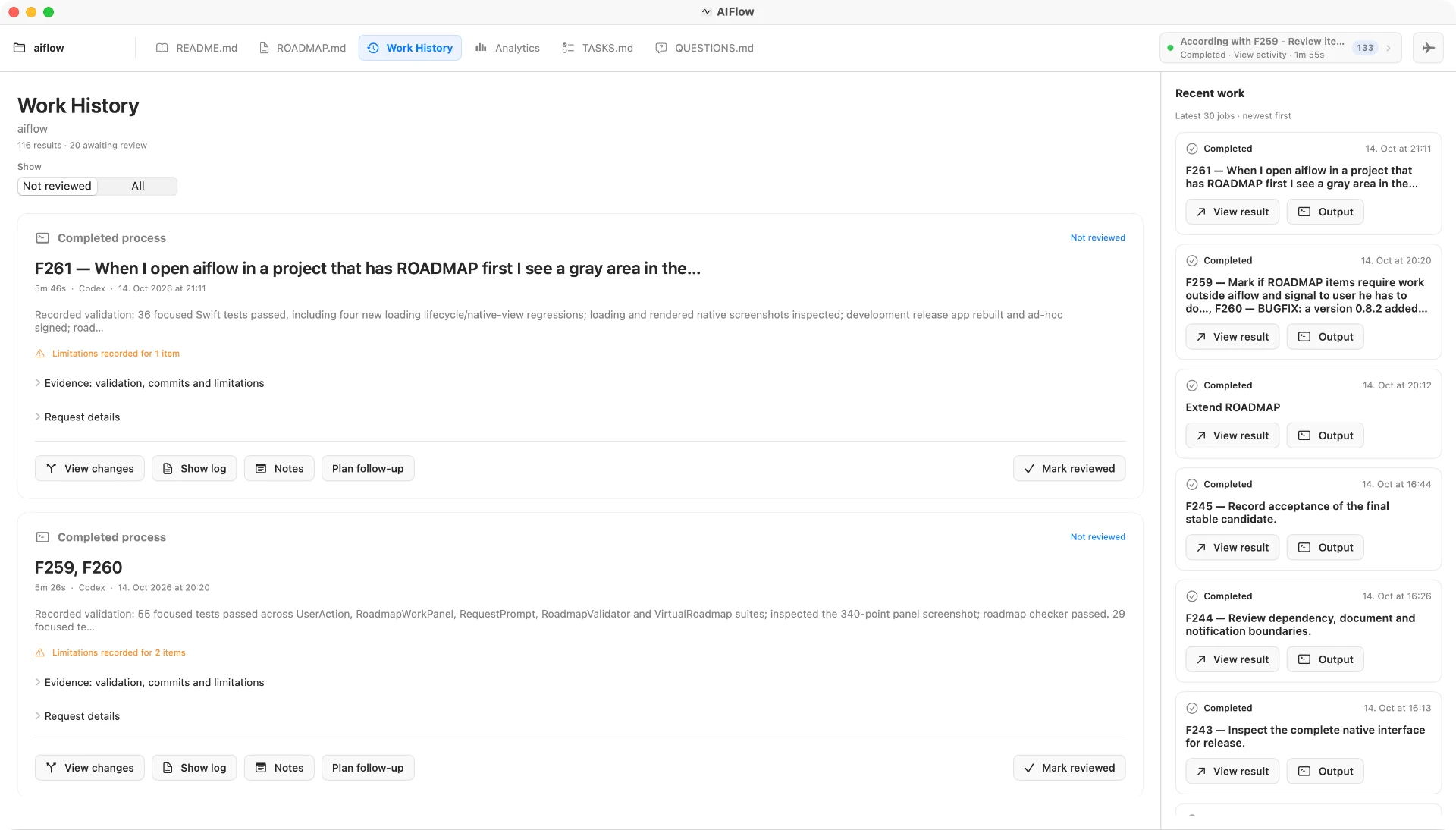
Work History and validationWork History
aiflow Work History view: completed processes listed with recorded validation and limitations, each with a Mark reviewed action, beside a Recent work list of finished jobs
Each finished process keeps the validation it recorded and the limitations it flagged. Mark reviewed is yours to decide — completion is not acceptance.
review workflow

A requirement changes. Rework it with the history attached.

Reopen the completed feature through Rework, carry its previous commits into the request, review the resulting changes, and record any remaining work.

F180 · Version selection — ReworkIllustrative workflow
  1. 01 · Requested outcome

    Version selection: run Auto Pilot for one roadmap version or all versions.

  2. 02 · Implementation commits

    8f52792 · Version selection + 2 commits carried from the previous request

  3. 03 · Agent-reported checksagent-reported

    23 passing tests reported by the agent, including a simulated version-scoped cycle.

  4. 04 · Known limitationslimitation

    Selection is session-local. Relaunching does not resume the cycle.

  5. 05 · Human reviewneeds a human

    Not yet accepted — awaiting your decision.

  6. 06 · Plan follow-up

    Add: persist the selected version across relaunch.

Illustration of the review flow, based on the F180 evidence in the sample report. Not a screenshot.
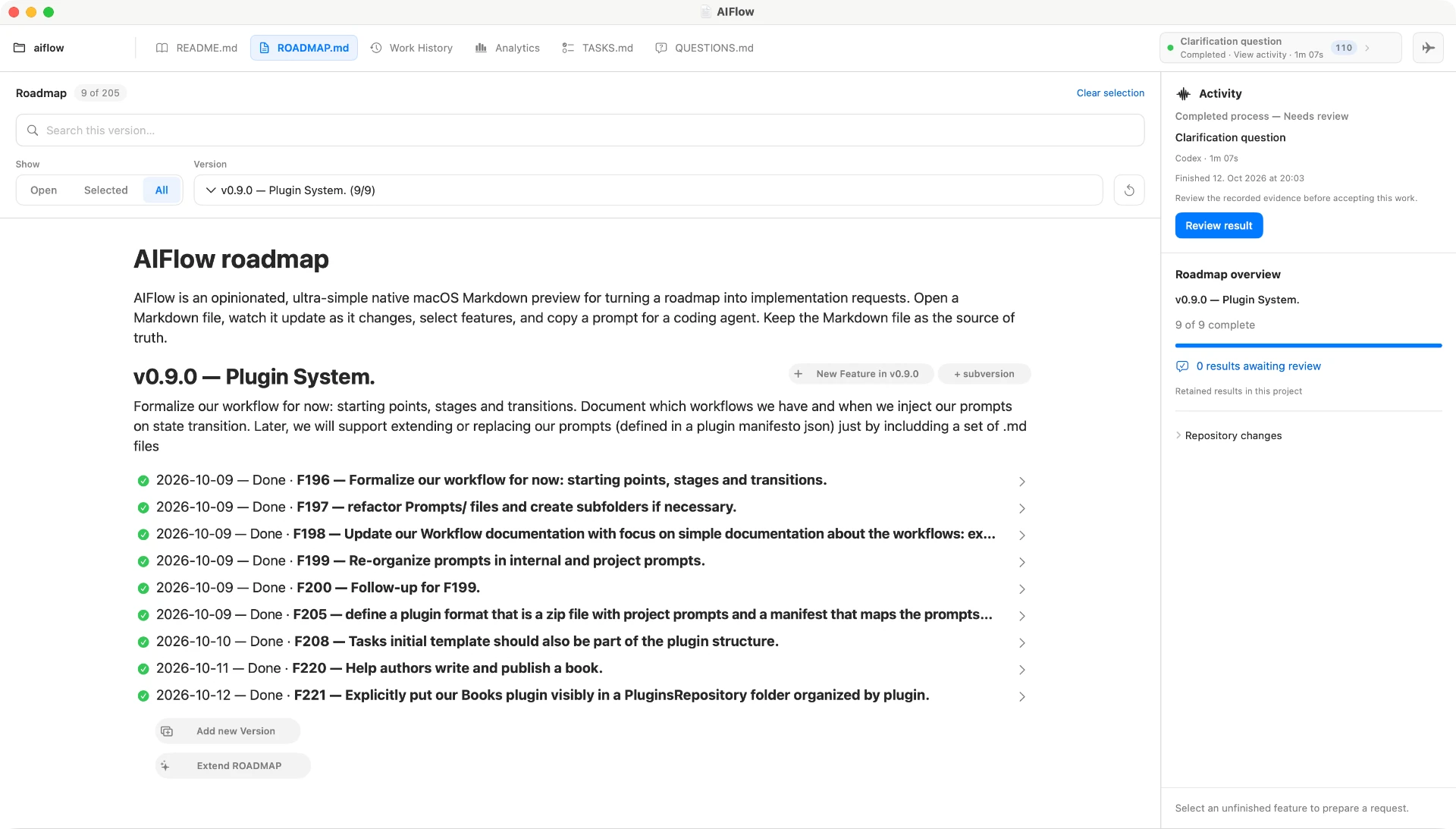
aiflow roadmap view with completed items and an activity panel showing a finished agent job ready for review
Actual aiflow window: roadmap with a completed agent job waiting for review.
sample report

What would you tell your client?

A readable account of the delivery: what was requested, what changed, what was checked, and what still needs a decision.

Read the full sample report

AIFlow v0.8.0 — Auto Pilot

Requested
Work through a roadmap version without launching every feature manually.
Delivered
Sequential agent execution, version selection, Start/Stop controls, and saved cycle summaries.
Evidence · agent-reported checks
Six verified implementation commits. The agent reported 66 passing focused tests for the execution cycle.
Still to verify
Live authenticated backend behavior and accessibility were not manually verified in the milestone’s recorded evidence. Execution does not resume after relaunch.
Human acceptance
Not recorded

Real example from AIFlow’s own development. Manually assembled from recorded evidence.

Three steps, one review loop

how it works
01

Choose the work

Capture the requested outcome and scope, then send it to your coding agent.

02

Review the result

Inspect changes, agent-reported checks, and remaining limitations.

03

Prepare the handoff

Decide what is accepted and what needs follow-up. During the pilot, we’ll help manually assemble a delivery report from the recorded evidence.

native macclaude code + codexfiles you control

Keep your roadmap, specifications, and delivery reports in files you control.

7-day pilot

Try aiflow on one real client repository

Seven days, an assisted setup session, and a review of your first completed feature.

After the trial, we’ll offer continued software access at an experimental $120/year. Claude Code or Codex usage is separate. No automatic charge.

The annual price is for aiflow software access. Any separately offered onboarding service will be quoted separately.

We only use your email to follow up about the pilot.

Practical questions

Who is this pilot for?

Mac-based freelancers and small consultancies already using Claude Code or Codex on client repositories.

Do I need an agent subscription?

Yes, access to your chosen agent is separate from aiflow.

What happens during the seven days?

Assisted setup, use on real work, and review of the first completed feature. We’ll also ask about how you prepare client updates.

Does aiflow automatically accept the agent’s work?

No. Process completion and reported checks are evidence to review, not human acceptance.

Does aiflow generate the delivery report automatically?

Not currently. The pilot tests manually assembling a reusable report from roadmap and Work History evidence.

Can I keep the report outside aiflow?

Yes. Save the Markdown delivery report in your repository, outside .aiflow.

How do I install it?

Setup is assisted during the pilot — we’ll get it running with you in the setup session.

Have thoughts on how you update clients today? Tell us about your workflow.